On this page
Garage door remote programming is one of the few opener jobs an owner can safely do, and the steps are close to identical across brands. The differences are small but decisive: where the learn button hides, how long you have to press the remote, and whether your opener uses fixed-code or rolling-code radio. This guide sorts those differences by opener family so you only read the part that applies to your door.
Before you start: three things to find
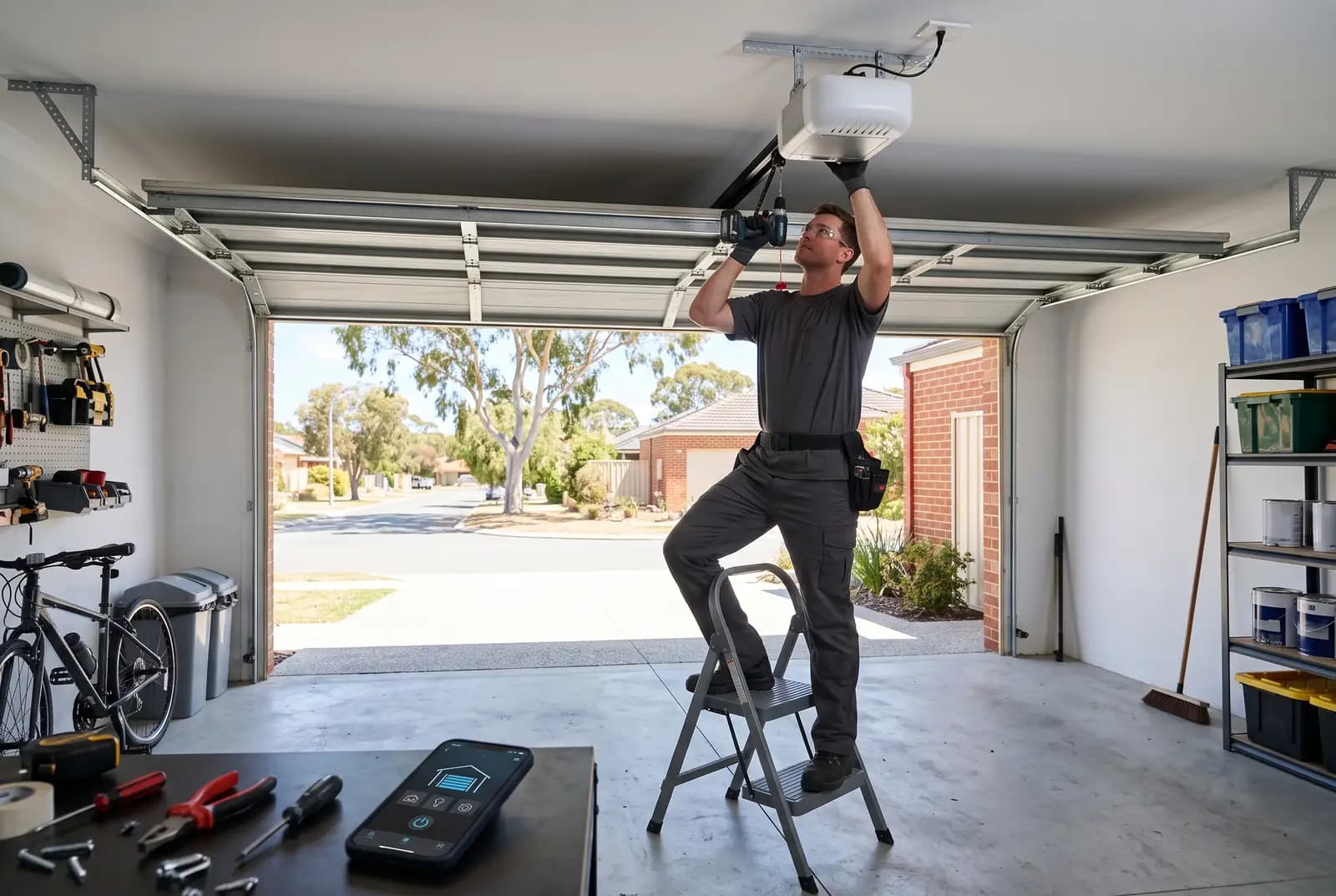
- The opener brand and model. It is printed on a label on the motor head, usually on the underside or the side facing the door. Photograph it so you are not reading it from a ladder twice.
- The learn button. On most current units it is on the motor head near the light lens, behind a small flap, or beside the antenna wire. A few older units put it on a plug-in receiver instead. The colour and label vary by model, so trust the manual over anything you read online, including this page.
- The code type. Rolling-code openers (Merlin and Chamberlain Security+ 2.0, B&D and ATA TrioCode, and most units sold in the last decade) pair with a learn button. Older fixed-code openers use dip switches inside the remote and receiver instead, and a learn button will not exist.
Ladder and power
The motor head is usually two and a half metres up. Use a stable step ladder, keep the door closed while you work, and never open the motor housing. Pairing a remote never requires you to remove a cover with screws in it.
The universal method for rolling-code openers
Nearly every rolling-code opener follows the same four-step sequence. Press and release the learn button. The opener's indicator light comes on or starts blinking to show it is listening. Within the learn window, which is commonly around thirty seconds but can be shorter, press and hold the remote button you want to use. When the opener flashes its courtesy light or clicks, the remote is stored. Test it from the driveway, not just from underneath the motor.
If the learn window closes before you press the remote, simply start again. Nothing is damaged by a failed attempt. If you press the remote twice in the window, some units store the second press as a second button, which is harmless but confusing when you later find button two also opens the door.
Programming by opener family
Merlin and Chamberlain
These share the Security+ 2.0 rolling-code system, so a Merlin remote pairs the same way on either badge. The learn button lives on the motor head, and on several models it is under or beside the light cover rather than on an exposed panel. Newer Merlin units with a wall console also let you enter learn mode from the console rather than the ladder; the manual for your model shows which applies. Our Merlin motor repairs page covers the receiver faults that stop pairing altogether.
B&D and ATA
B&D roller and sectional openers are built by ATA, which is why both use TrioCode remotes. Programming a B&D garage door remote usually means pressing a code-set button on the motor head, then pressing the chosen remote button twice with a short pause between presses, rather than once. Some models confirm with a beep instead of a light flash. If you have an older B&D unit with a plug-in receiver, the code-set button is on the receiver, not the motor. The B&D motor repairs page lists the common faults on the Controll-A-Door range.
Gliderol, Steel-Line, Centurion and others
These brands follow the universal method with their own learn-button placement and timing. Gliderol Glidermatic units typically pair through a button on the motor head with a flashing LED; Steel-Line and Centurion openers do much the same. Because model generations differ, the only reliable source for the exact button and confirmation signal is the manual for your model number. Most manufacturers host their manuals online if the paper copy has gone.
Older dip-switch remotes
If your remote has a row of tiny switches under the battery cover, there is no learn button to find. The receiver has a matching row, and the remote works when both rows are set identically. Copy the pattern from a working remote onto the new one with a small screwdriver. These openers predate rolling-code security, so a matching pattern on a neighbour's remote can open your door; if that worries you, a new opener is the fix.
Programming a remote from another remote
Some remote ranges support remote-to-remote cloning: you hold the old and new remotes together, press a combination on each, and the new one learns the code. This only works within the same brand and code type, and it is not offered on every model. Where it is, the manual describes it under duplication or cloning. If your opener is rolling-code, the cloned remote still has to be accepted by the receiver, so a learn-button session is often needed anyway.
Pairing your car's built-in buttons
Cars with HomeLink or a similar in-mirror system pair in two stages. First the car learns the signal from a working handheld remote held close to the buttons. Then, for rolling-code openers, you press the opener's learn button and press the car button again so the receiver stores the car as a new remote. Skipping the second stage is the usual reason a car button flashes but the door stays put.
When the remote refuses to pair
Work down this list
- Wrong code type: a fixed-code remote will never pair to a rolling-code receiver, and a Security+ 2.0 remote will not pair to a TrioCode opener. The frequency printed on the remote (27 MHz, 303 MHz, 433 MHz) and the brand name are your clues.
- Lock or holiday mode: many wall consoles have a lock switch that disables every remote while leaving the wall button working. Turn it off and try again.
- Flat battery in the new remote: fresh out of the packet does not mean fresh. Most take a CR2032 coin cell or a slim 12 V 23A cell.
- Memory full: receivers store a limited number of remotes. Lost remotes still occupy slots until the memory is cleared, which is covered in our opener reset guide.
- Receiver fault: if no remote will pair and the wall button works, the receiver board or its antenna is the likely fault. Our remote not working guide separates a dead remote from a dead receiver.
When to call a technician
Call for help when the learn button does nothing at all, when the opener is a discontinued model and you cannot find a matching remote, or when you have bought two remotes that both turned out to be the wrong type. A technician brings a remote matched to your receiver, pairs it, and wipes any lost remotes from memory in the same visit. Elite's garage door remotes service charges $95 per remote plus $120 to attend and program, incl. GST, anywhere in the Perth metro area.